Golf GPS yardage and shot tracking on your phone and Apple Watch
See how far it is to the front, middle and back of the green. Pick your club with the number in view, mark the shot, and find out how far your drive really went — on your iPhone, or on your wrist with the phone left in the bag.
Free for golfers. Yardage shows on holes with a mapped green; scoring and shot tracking work on every hole.
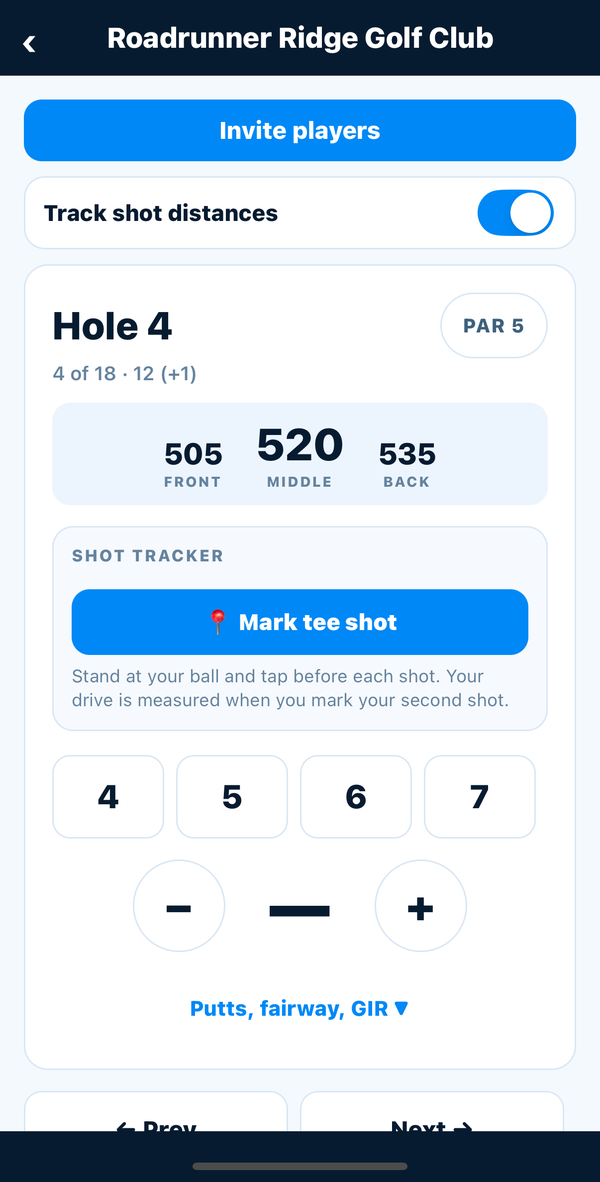
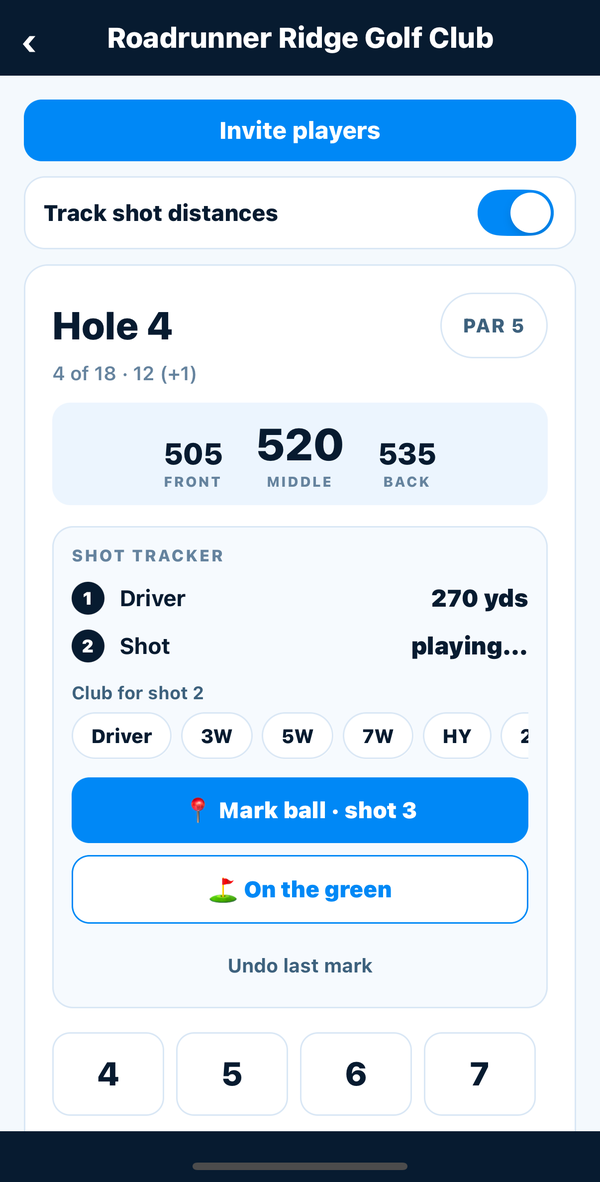
On your phone: yardage and every tee shot
Turn on Track shot distances, stand at your ball and tap before each shot. Your drive is measured the moment you mark your second.
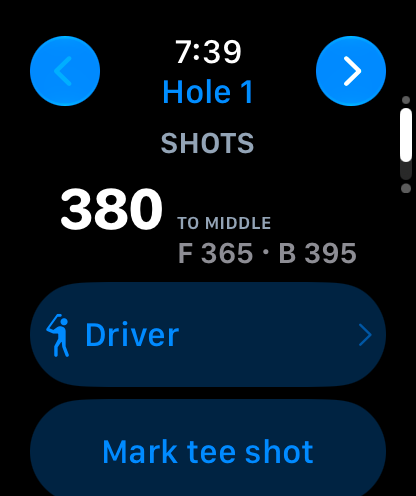
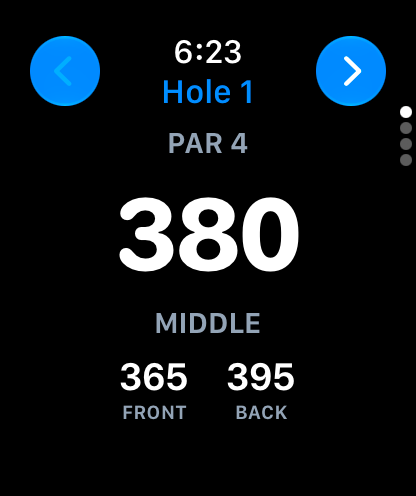
On your Apple Watch: leave the phone in the bag
Start the round on your iPhone and raise your wrist for the rest. The watch uses its own GPS for the yardage and your shot marks, and keeps your score.
Built for how you actually play
Yardage to the front, middle and back
From your own position, on every hole whose green is mapped — updating as you walk up the fairway.
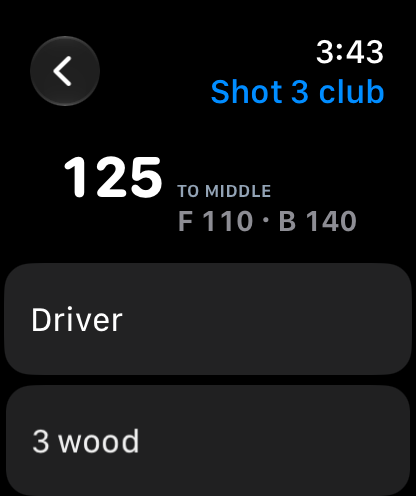
Choose the club with the number in view
On the phone and the watch, the yardage sits right above the club you are picking, so you pick it off the number.
Tee-shot and club distances
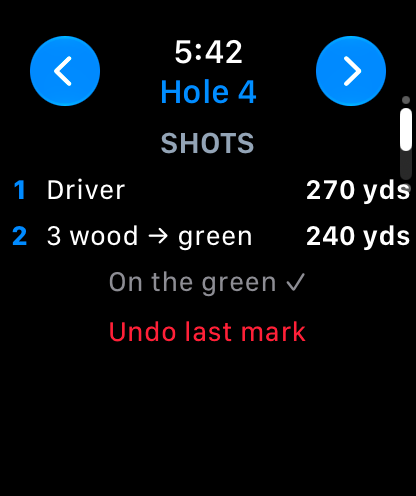
Mark your ball before each shot. Your drive is measured when you mark your second, and every club builds an average round after round.
Phone in the bag
Start the round on your iPhone and the Apple Watch takes over with its own GPS: yardage, scores and shot marks.
One round, both devices
Score a hole on the watch and the next on the phone. Each picks up the other's scores and shot marks.
No signal, no problem
Scores and marks are saved on the device and sent when service comes back.
Android watches next
Yardage and shot tracking are in the Android app today; a Wear OS watch app is in the works.
Questions about GolfTracker on your watch
Does GolfTracker work on Apple Watch?
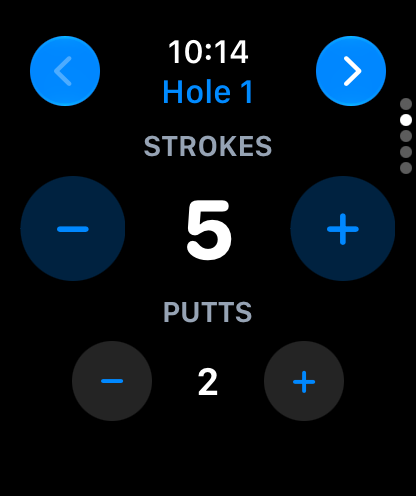
Yes. The GolfTracker Apple Watch app shows front, middle and back yardage to the green, keeps your score and putts, and marks each shot with the watch's own GPS so you see how far it went. It comes with the iPhone app and signs in through it.
Can I leave my phone in the bag?
Yes. Start the round on your iPhone, then the watch does the rest: yardage, scores and shot marks all use the watch's own GPS. Scores and marks made without a signal are kept on the watch and sent when it reconnects.
Can I use my phone and my watch on the same round?
Yes. It is one round in one account. Score a hole on your watch and the next on your phone; each picks up what the other entered, and your shot marks show on both.
Does it show yardage on every course?
Yardage shows on holes whose green has been mapped in GolfTracker. Scoring, putts and shot marks work on every hole of every course, mapped or not.
How does shot tracking work?
Stand at your ball, pick the club — with the yardage to the green right there — and tap Mark. When you mark your next shot, or tap On the green, GolfTracker measures how far the last one went. Your average drive and a distance for every club build up round after round.
Does the Apple Watch app use Apple Health?
Only if you allow it. The watch can save your round to Apple Health as a Golf workout, which also keeps its GPS on while your wrist is down. GolfTracker only writes that workout; it never reads your Health data, and nothing from Health leaves your devices.
Is there an Android watch app?
Not yet — a Wear OS watch app is next. On Android phones, yardage and shot tracking are in the GolfTracker app on Google Play today.
Is it free?
Yes. GolfTracker is free for golfers, phone and watch alike, with no paid golfer tier. It is paid for by the clubs and charities that run tournaments on it.
Your yardage, your distances, your wrist
Free for golfers. Start with an email address — that is the whole signup.